Introducing DankPOS — Point-of-sale software for retail stores
Minh Khoa
Founder & Tech Lead
The problem retail stores face
A retail store handles lots of small jobs every day: ringing up customers, remembering what is running low, noting who still owes money, and adding up at the end of the day how much was sold and how much was earned. Once there is a second branch or a few more staff, the notebooks start to get messy.
DankPOS brings all of that into one browser-based app that works on the counter computer and on a phone.
Quick look: one order from the counter to the report
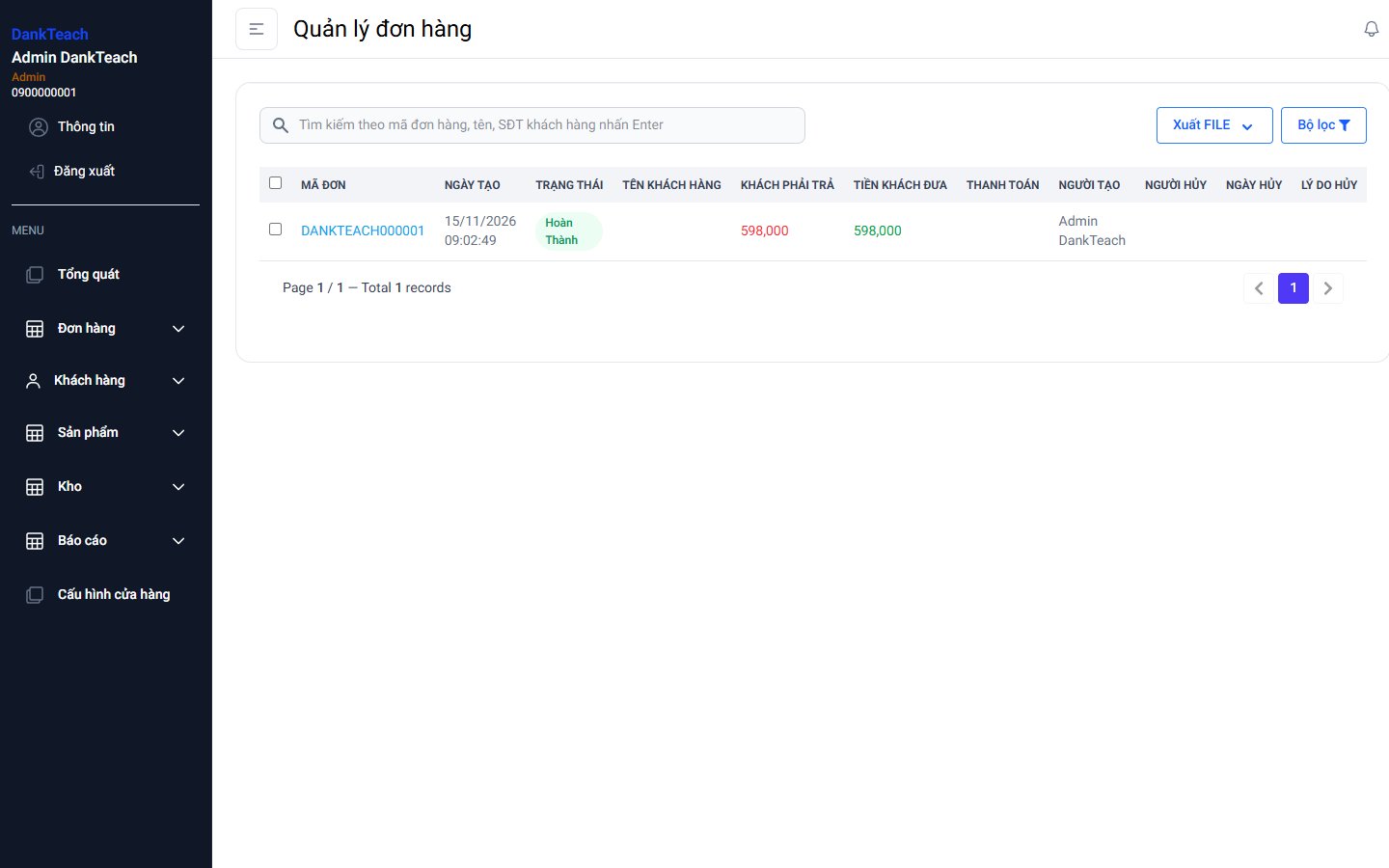
The clip below was recorded on a sample store: sign in, create an order for 2 items, then see the order in the order list, the stock go down automatically and the revenue show up in the report.
What can DankPOS do?
1. Fast checkout at the counter
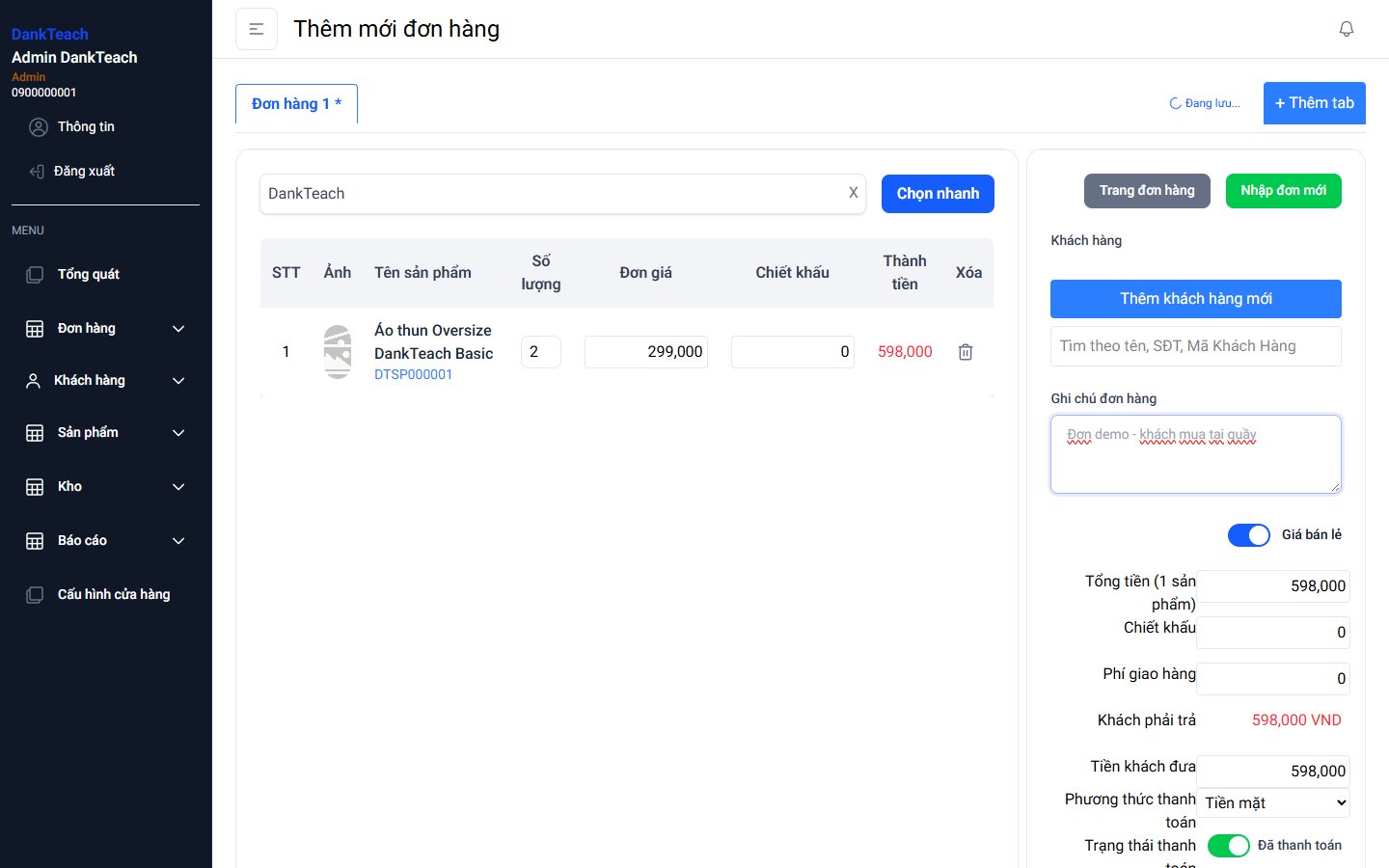
Type a product name or code, or scan a barcode, and the item goes into the order. Pick retail or wholesale price, add a discount or delivery fee, choose the payment method, then create the order and print the receipt. Open several tabs to serve several customers at once.
2. Products and stock
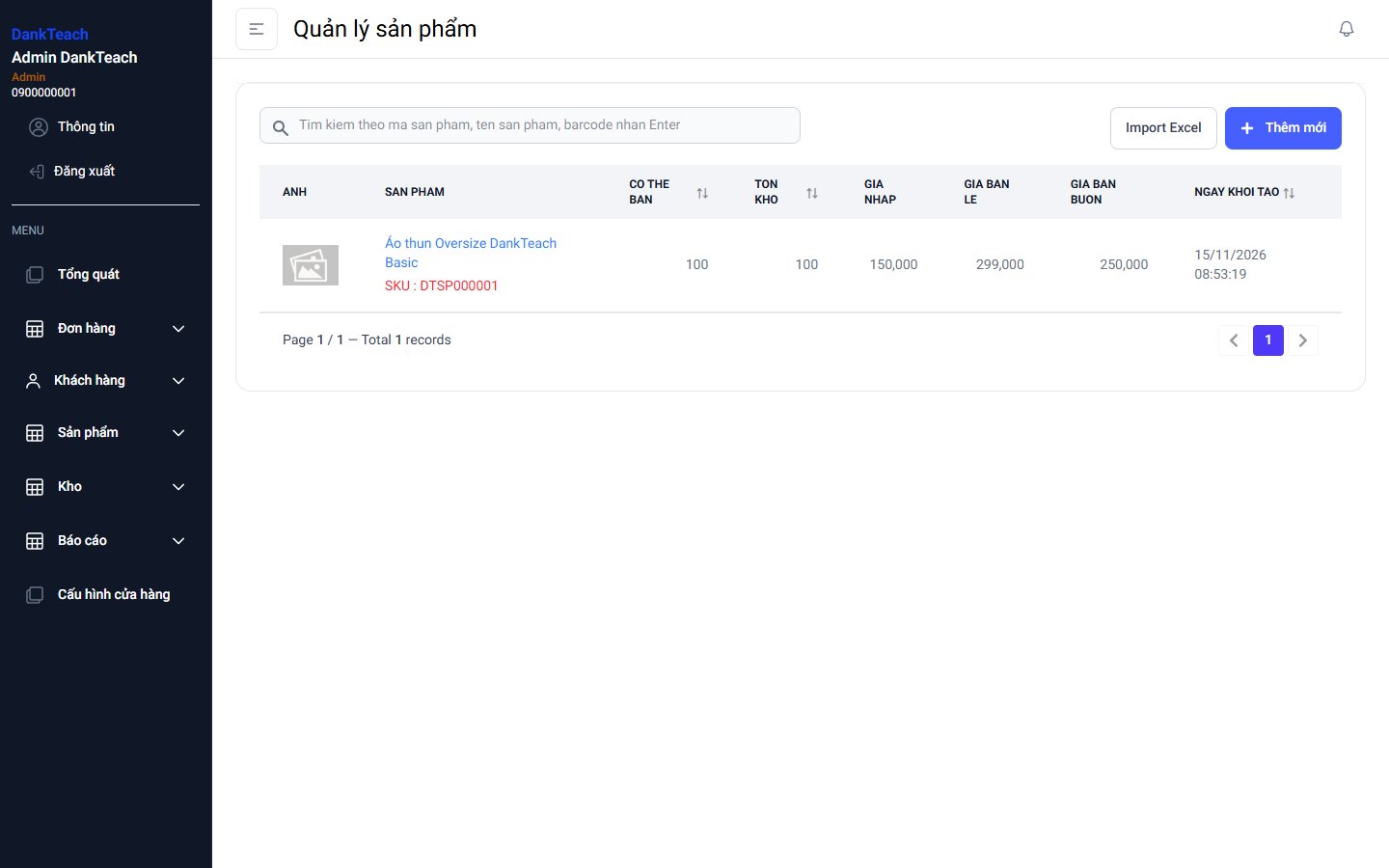
Each product has a SKU, barcode, cost price, retail price and wholesale price. Sales reduce stock and stock-ins add to it automatically, so you always know what is left. Product lists can be imported from Excel.
3. Orders, customers and debts
Every order is saved and can be searched by order code, customer name or phone number. When a customer buys on credit, the debt is recorded and updated as they pay. Returns put the items back into stock.
4. Revenue and profit reports
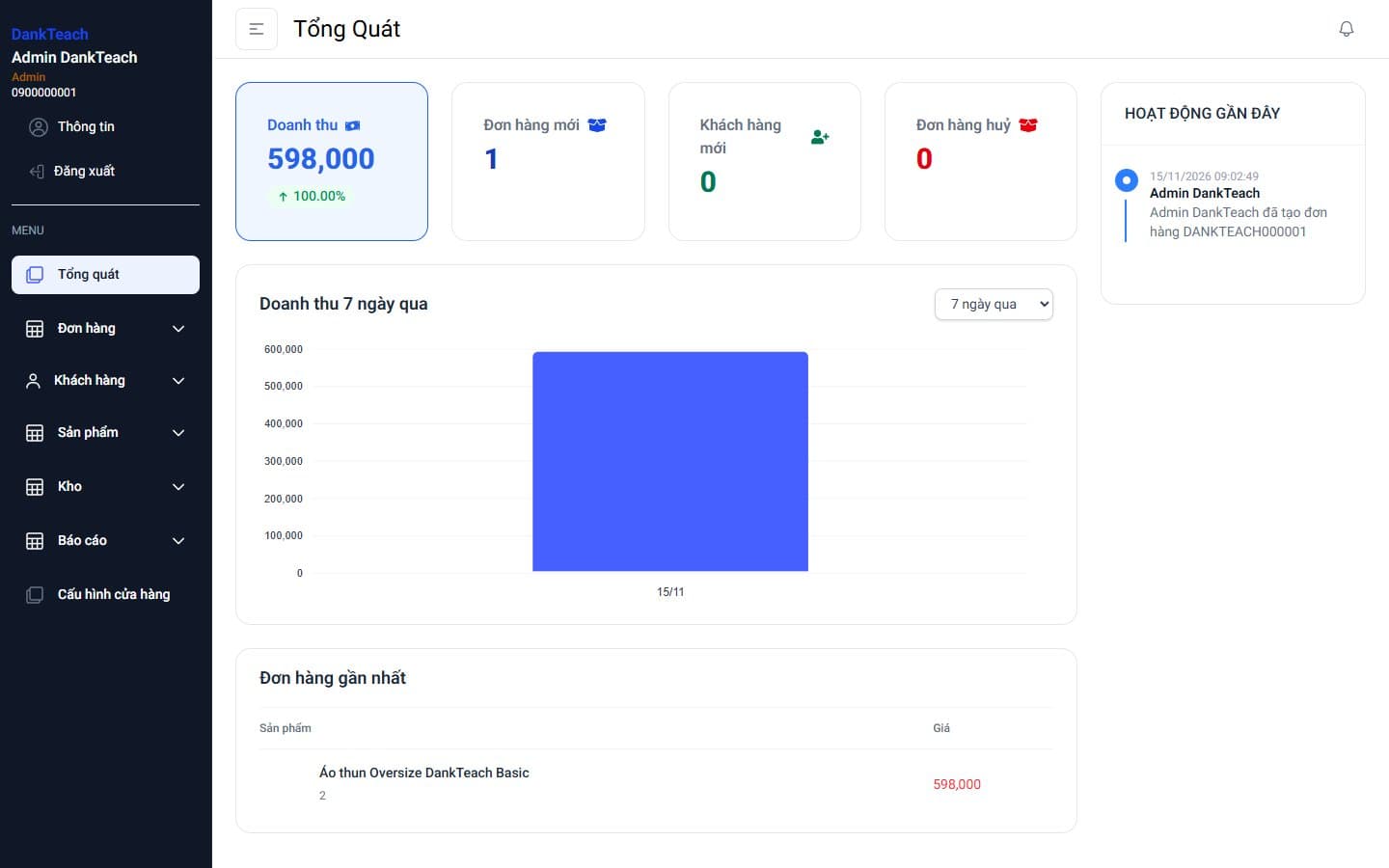
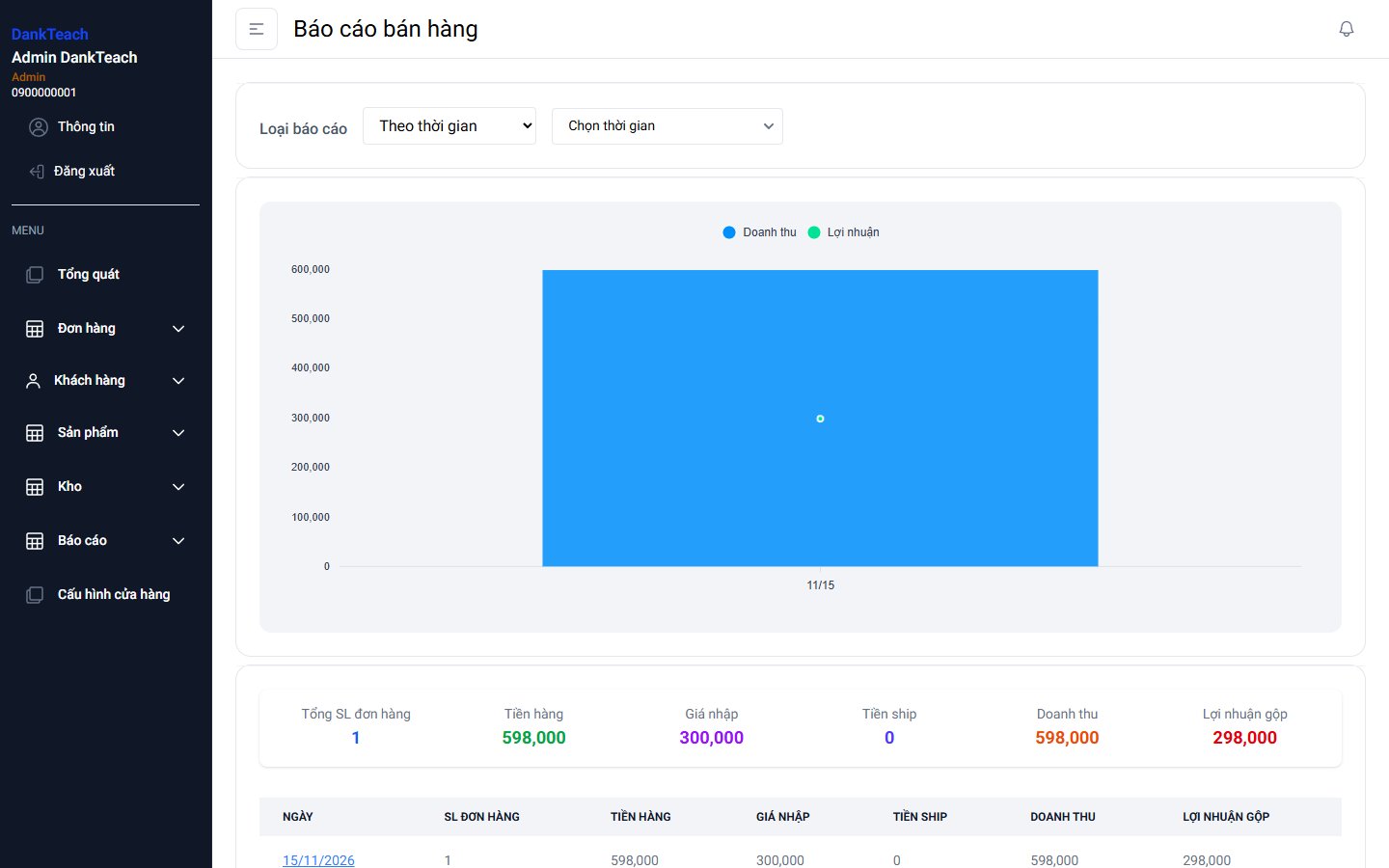
Owners can see order count, sales, cost, revenue and gross profit by day or month. The overview page shows revenue for the last 7 days, new and cancelled orders, and recent staff activity.
5. Multiple branches and staff permissions
Each branch has its own products, orders and reports. Owners create accounts for staff and choose what each person can see, for example a cashier can sell but cannot see profit.
Who is it for?
- ✓Fashion, cosmetics and accessories stores — many items, stock needs watching
- ✓Grocery and convenience stores — fast counter sales, customers buying on credit
- ✓Chains with several branches — each branch has its own stock, the owner sees everything
Need something specific?
Every business runs a little differently. For example, a retail space hosting many consignment brands needs revenue split by brand and settlement at the end of each period. We can build those parts on top of DankPOS.
Read more in off-the-shelf or custom sales software, or contact us for a live demo.