
Introducing DankOrder — QR ordering for restaurants and cafés
Minh Khoa
Founder & Tech Lead
The problem small shops face
Rush hour at a café or a small restaurant usually looks like this: customers queue to order, staff take orders and handle payment at the same time, the kitchen misreads a handwritten note, and at the end of the day the owner sits down with a notebook to work out how much they sold.
Big POS systems solve these problems, but they are often expensive, complicated to set up and packed with features a shop with a few dozen tables never uses.
That is why we built DankOrder — a lightweight QR ordering platform that works straight away on a phone and in the browser.
How does DankOrder work?
1. Guests scan a QR code and order themselves
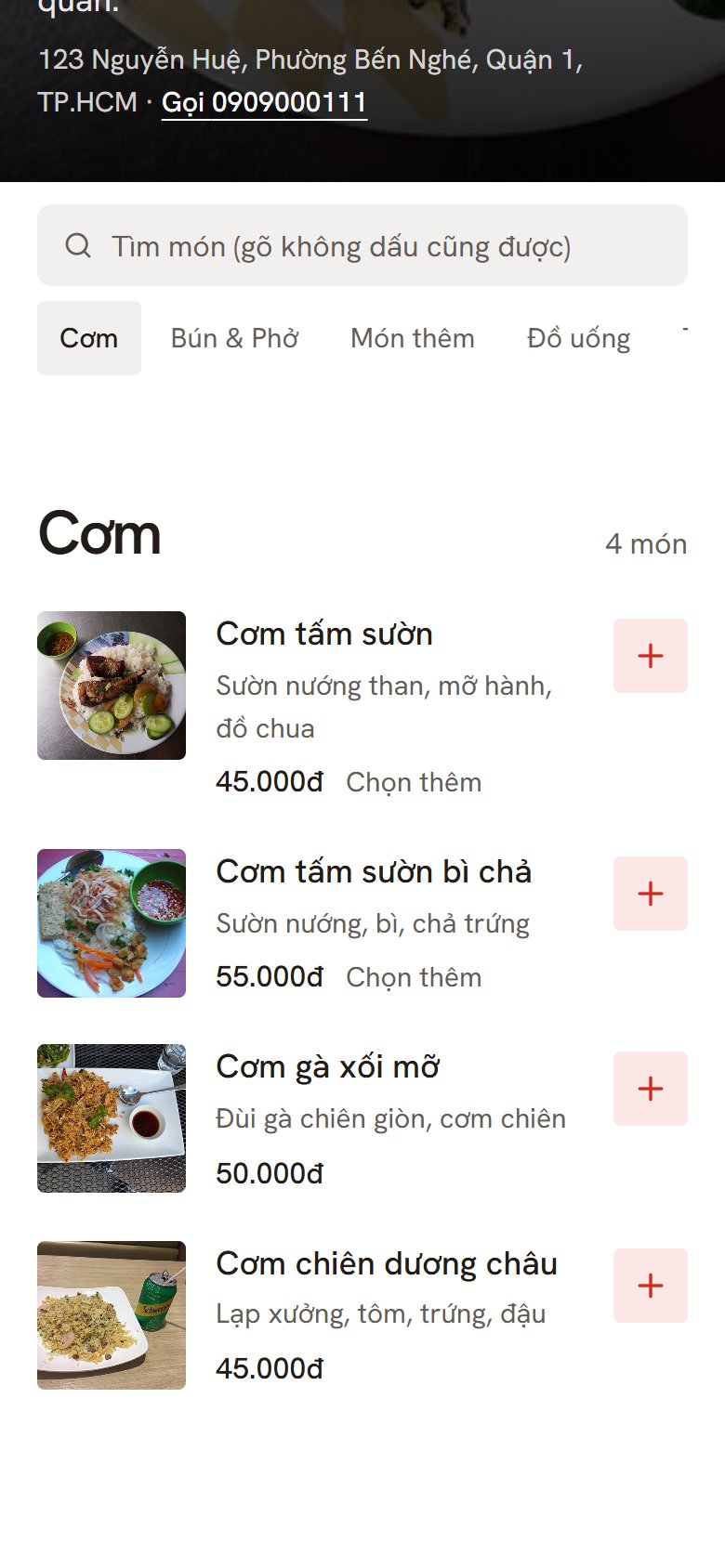
Every table has its own QR code. Guests scan it with their phone camera and the shop's menu opens — no app to install, no account to create.
The menu is grouped into categories, with photos, prices and options for each item: size, sugar level, toppings... Items that are sold out are hidden automatically.
2. Pay by bank transfer as soon as the order is sent
DankOrder integrates payOS: after sending the order, the guest receives a VietQR code for the exact amount, opens their banking app and the transfer is done. The system confirms automatically when the money arrives — staff don't need to check bank statements.
Shops can still let guests pay at the counter as usual if they prefer.
3. The shop receives orders instantly
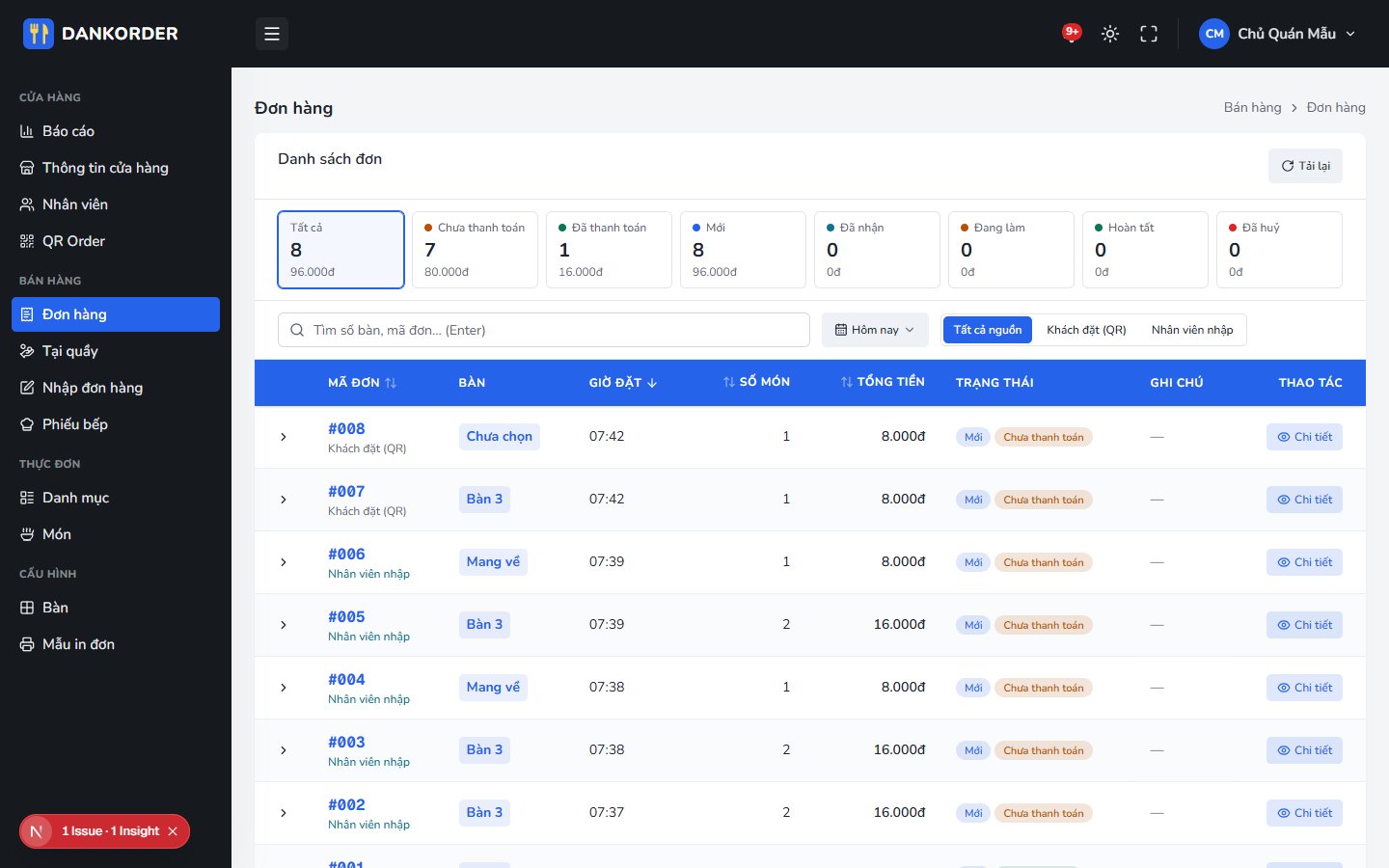
New orders are pushed in real time to the shop's management screen with a sound alert. Staff see right away which table ordered what and whether it has been paid.
4. Automatic kitchen tickets
When an order is paid, the system creates a kitchen ticket automatically. The kitchen tracks each ticket's status: Waiting → In progress → Done. Staff can also create orders on behalf of guests who order at the counter.
5. Revenue reports for the owner
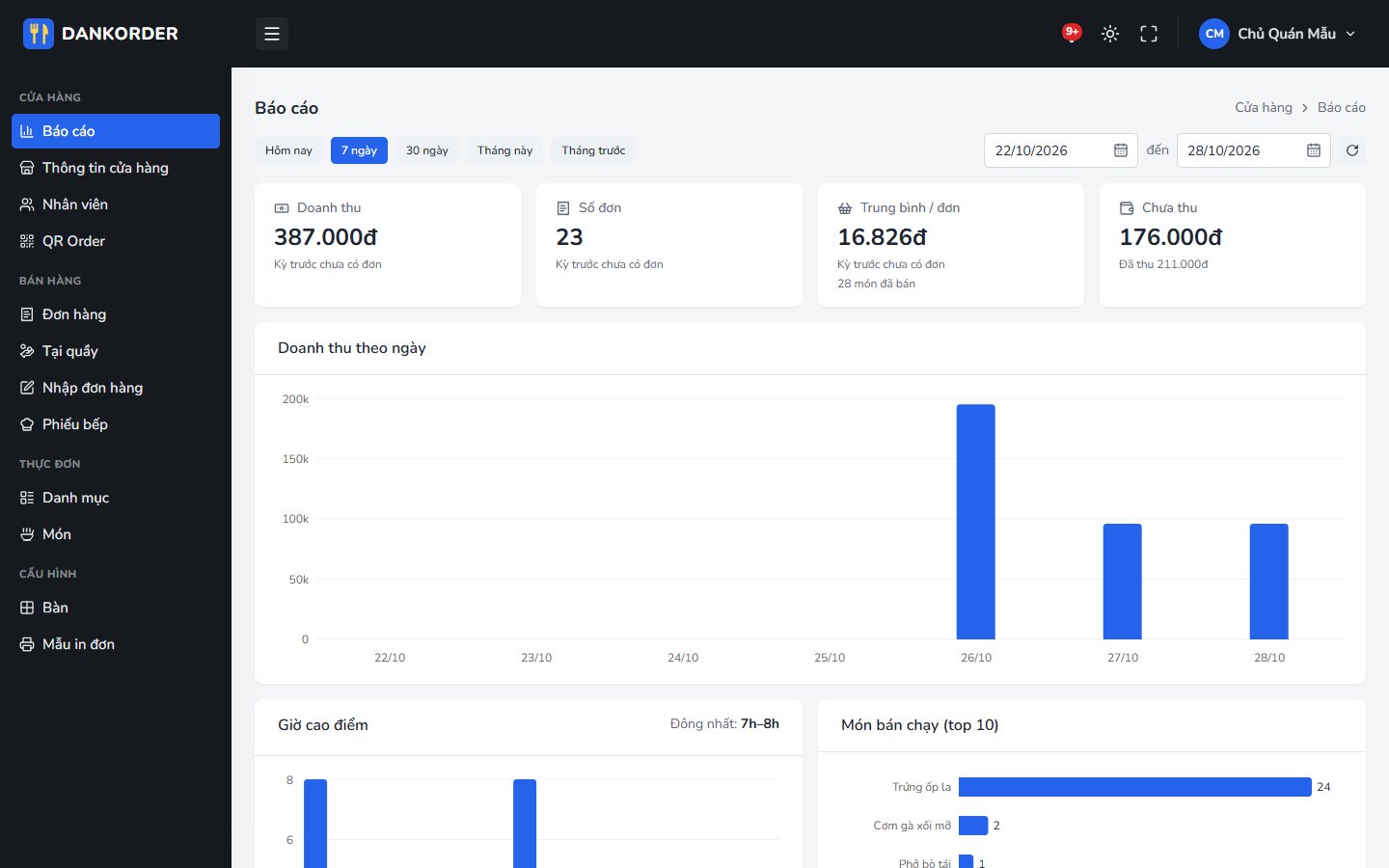
Owners can see revenue by day and by hour, the number of orders, average order value, the top 10 best-selling items and a comparison with the previous period. No more adding up the notebook at closing time.
Who is it for?
- ✓Cafés and bubble tea shops — busy peak hours, lots of item options
- ✓Restaurants and small eateries — want to take the load off order-taking staff
- ✓Multi-store chains — one account manages several shops, each with its own menu, tables and staff
Easy menu, table and staff management
- ✓Menu: add items, categories and option groups (required / optional, minimum – maximum choices), drag and drop to reorder
- ✓Tables & QR: create tables in bulk by area, print the QR codes and stick them on the tables
- ✓Staff: owners add accounts for staff. Staff can receive orders and mark items in or out of stock, but cannot see revenue
- ✓Accent-insensitive search: typing "tra sua" still finds "Trà sữa"
Conclusion
DankOrder doesn't try to be a giant POS system. Our goal is simpler: help shops take orders faster, collect payments more accurately and give owners their numbers every day.
If you run a restaurant or café and want to try DankOrder, or need a custom ordering solution for your own chain, get in touch with us.

